Best Ways to Charge Battery Efficiently for All Devices?
In our tech-driven world, the need to charge battery efficiently is more crucial than ever. As devices advance, so do the requirements for power management. According to Dr. Lisa Chen, a leading battery technology expert, "Effective charging not only extends battery life but also enhances device performance." Her insights highlight the importance of optimizing our battery charging techniques.
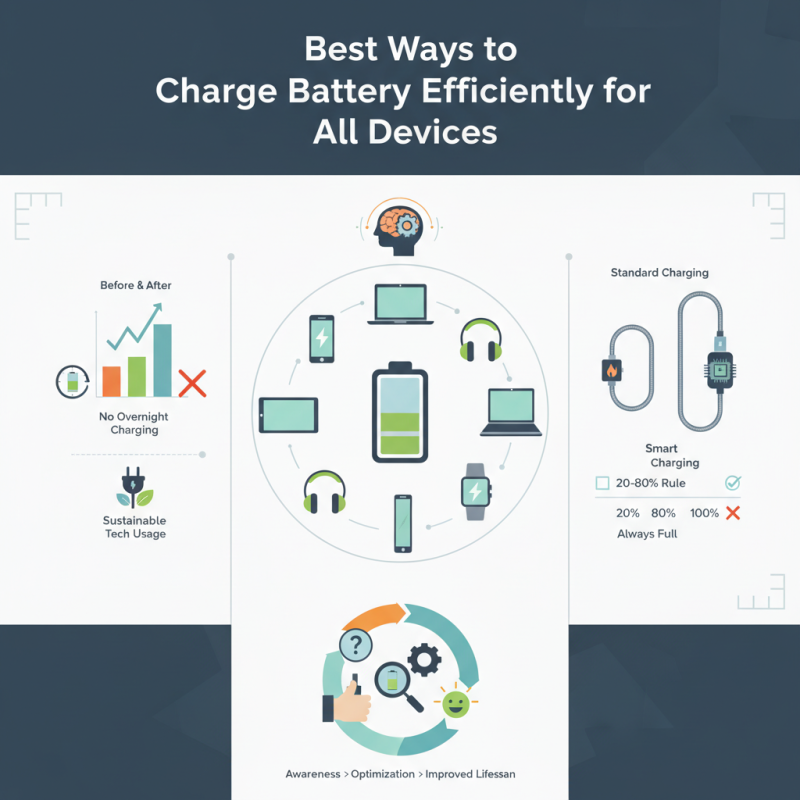
Charging methods differ among devices, yet the goal remains the same: prolonging battery longevity. Many users plug in their devices without considering best practices. A simple mistake can affect battery health. For instance, keeping devices plugged in overnight might seem convenient, but it can lead to overcharging.
Awareness is key to mastering the art of charging batteries. Users should explore varying charging rates and employ smart chargers. Not all charging habits are equal. It’s worth reflecting on personal practices to ensure efficiency. Making small adjustments can lead to significant improvements in battery life and performance over time. This is not just about convenience; it’s about sustainable tech usage for our daily lives.
Understanding Battery Types and Charging Mechanisms
Charging a battery efficiently starts with understanding the types of batteries you are dealing with.
Lithium-ion batteries are common in smartphones and laptops. They offer high energy density and long cycle life.
Nickel-metal hydride batteries are often found in older devices. They have slower discharge rates but are less sensitive to overcharging. Each type has distinct characteristics that influence how they should be charged.
The charging mechanism also varies across battery types. For lithium-ion batteries, a two-stage charging process is typical: constant current followed by constant voltage. This method prevents overheating and ensures longevity. On the other hand, nickel-metal hydride batteries require a different approach. These often benefit from trickle charging to avoid over-discharge. Ignoring these nuances can damage your battery over time.
It's also important to consider environmental conditions. Extreme temperatures can reduce charging efficiency. Keeping the device in moderate temperatures can enhance battery performance. Reflect on your charging habits. Are you leaving your devices plugged in overnight? This could lead to battery degradation. Understanding these factors will help improve battery management.
Optimal Charging Practices for Different Devices
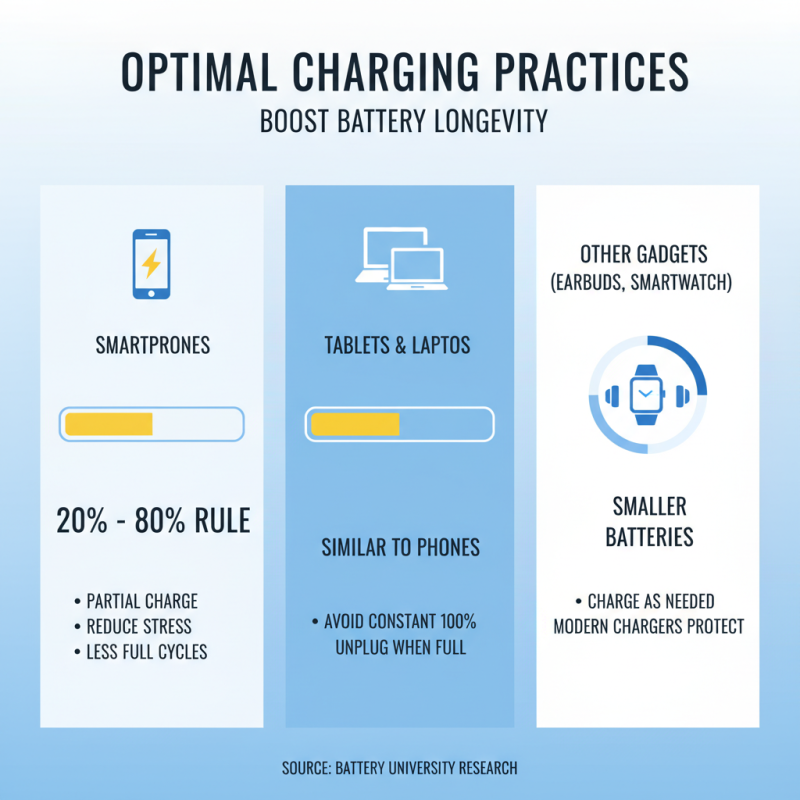
When it comes to charging devices, optimal practices vary significantly among different types. Smartphones generally benefit from partial charging, ideally between 20% and 80%. Research by Battery University shows that lithium-ion batteries last longer with less cycling, reducing the need for full charges. This strategy enhances battery longevity by minimizing stress on the battery cells.
For laptops, keeping them plugged in at around 50% battery is often recommended. A study from the International Energy Agency found that charging devices overnight can lead to substantial energy waste. Users should consider unplugging their devices once fully charged. Furthermore, maintaining a moderate temperature is crucial, as batteries operate best in cooler environments. Overheating can degrade battery health and performance.
Wireless earbuds are another category that deserves attention. Typically, they have smaller batteries that are more susceptible to damage. Frequent small charges are usually better than a single, full charge cycle. According to recent data from the Consumer Electronics Association, overcharging can significantly shorten the lifespan of these devices. Users should be aware of the unique characteristics of their devices for proper care.
Energy-Saving Features to Enhance Battery Life
To enhance battery life, consider energy-saving features on your devices. Many smartphones and laptops come with power-saving modes. These modes limit background processes, reducing energy consumption. Activating this feature can extend battery life significantly, especially during critical times.
Adjusting screen brightness is another effective strategy. Lowering brightness can easily save battery power. Automatic brightness adjustments are available on many devices. This feature adjusts settings based on ambient light, optimizing battery use without user intervention. However, users must verify if this feature works effectively on their devices.
Disabling unnecessary features can also make a difference. Turn off Bluetooth and Wi-Fi when not in use. These features consume energy even when idle. Regularly assessing app usage is important. Some applications may continue running in the background, draining the battery. Periodic reviews can help identify these energy-hungry apps. While it might feel inconvenient, taking a moment to adjust settings can lead to longer battery life.
Best Ways to Charge Battery Efficiently for All Devices? - Energy-Saving Features to Enhance Battery Life
| Device Type |
Charging Method |
Average Charging Time |
Energy-Saving Features |
| Smartphone |
USB-C Fast Charging |
1-2 hours |
Adaptive Charging, Night Mode |
| Laptop |
Thunderbolt 3 Charging |
2-3 hours |
Battery Management Software, Sleep Mode |
| Tablet |
Standard AC Charging |
2-4 hours |
Power Saving Mode, Screen Dimming |
| Smartwatch |
Inductive Charging |
1-2 hours |
Battery Life Extension, Gesture Control |
| Wireless Earbuds |
Case Charging |
1-2 hours |
Auto Pause, Low Power Mode |
Tips for Maintaining Battery Health Over Time
Maintaining battery health is crucial for longevity and efficiency. Research indicates that optimal charging practices can extend battery life significantly. For instance, keeping lithium-ion batteries between 20% and 80% charge can often lead to longer overall lifespan. Fully discharging or excessively overcharging a battery can damage its health over time.
Temperature plays a vital role in battery performance. According to a study by the Journal of Power Sources, lithium-ion batteries degrade faster in high temperatures. Keeping devices cool and avoiding exposure to direct sunlight can help maintain battery efficiency. Furthermore, regular software updates improve device energy management, contributing to healthier batteries.
Interestingly, many users overlook the importance of charging cables and adapters. Using high-quality, compatible accessories can prevent overheating and ensure safe charging. Poor quality components can lead to unexpected failures. It's important to recognize that not all charging practices are ideal. Adjusting habits based on observations can enhance battery longevity and performance.
The Impact of Temperature on Charging Efficiency
Temperature significantly affects charging efficiency for all devices. Optimal charging usually occurs at moderate temperatures. When devices heat up, charging can slow down. This happens because batteries have built-in safety features. They reduce the current to prevent overheating.
Cold temperatures also pose challenges. Charging in frigid conditions can extend the charging time. Batteries operate less efficiently when too cold. Moreover, the charging cycle can become inconsistent. This inconsistency can lead to reduced battery lifespan over time. Users may notice their devices do not hold a charge like before.
It’s essential to find a balance. Aim for a temperature range between 20°C to 25°C (68°F to 77°F) for best results. Avoid charging in direct sunlight or overly cold environments. Reflecting on these factors can improve your charging habits. Not every charging session will be perfect, but awareness can help mitigate issues.
Best Ways to Charge Battery Efficiently for All Devices
This chart displays the charging efficiency of various devices at different temperatures. Higher temperatures can negatively impact battery performance, while cooler temperatures can improve efficiency.